Best Stylus Pens for Samsung Galaxy Note Series
The Samsung Galaxy Note series is well-known for its powerful features and the versatile S Pen. These smartphones are designed for users who value productivity, creativity, and smooth interaction with their devices. The S Pen enhances this experience by allowing precise navigation, efficient note-taking, and detailed drawing.
Choosing the right stylus pen can greatly affect how you use your Galaxy Note. A high-quality stylus not only complements the device’s capabilities but also boosts your efficiency and creativity. With many options available, it’s important to understand which features matter most to make the best choice.
Key Features to Consider When Choosing a Stylus

Compatibility with Galaxy Note Devices
It’s essential to ensure that the stylus you choose works perfectly with your specific Galaxy Note model. Different models may have unique firmware and software requirements, so verifying compatibility is crucial. This ensures that all features, such as pressure sensitivity and Bluetooth functionalities, work correctly without any issues.
Pressure Sensitivity and Responsiveness
Pressure sensitivity is important for users who enjoy drawing or detailed note-taking. A stylus with high pressure sensitivity allows you to vary line thickness and shading, providing a more natural writing or drawing experience. Additionally, a responsive stylus ensures that your strokes are accurately captured in real-time, resulting in smooth and precise performance.
Battery Life and Charging Options
Stylus pens can be powered in different ways, including battery-operated or rechargeable options. Long battery life is essential for uninterrupted use, especially for professionals who rely on their stylus throughout the day. Convenient charging options, such as USB-C, make keeping your stylus powered up easier and more efficient.
Top Stylus Pens for Samsung Galaxy Note Series
Samsung S Pen Pro
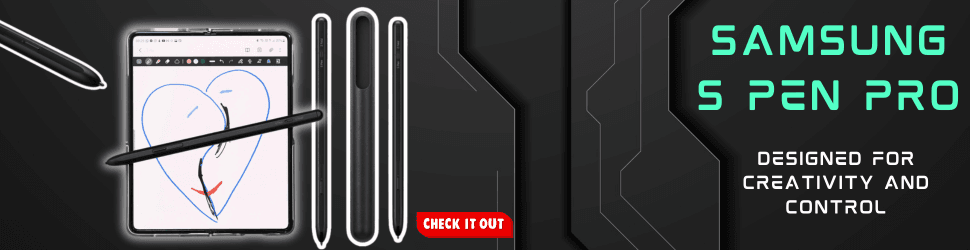
The Samsung S Pen Pro is designed to offer high precision and excellent pressure sensitivity, making it ideal for both casual use and professional tasks. It also includes Bluetooth functionality, allowing it to double as a remote control for presentations and other media. One of the main advantages of the S Pen Pro is its seamless integration with Galaxy Note devices, offering versatile functions that enhance productivity. However, it comes with a higher price point compared to other styluses.
Adonit Note-M
The Adonit Note-M stands out with its built-in mouse functionality, providing an additional layer of control for your device. It is rechargeable via USB-C, ensuring that it stays powered without the need for frequent battery replacements. Users appreciate its multifunctional design and ergonomic comfort, although some may find its slightly bulkier design less appealing.
Wacom Bamboo Ink Plus
Wacom Bamboo Ink Plus supports multiple devices and operating systems, offering great versatility beyond just the Galaxy Note series. It boasts high precision and customizable buttons, allowing users to tailor the stylus to their specific needs. This stylus is praised for its versatile compatibility and reliable performance. However, it requires software setup to access all its features fully.
HP Tilt Pen
The HP Tilt Pen is known for its tilt recognition, which allows for shading and nuanced strokes, making it an excellent choice for artists and designers. It is also rechargeable and offers a long-lasting battery life. Users find it exceptional for artistic work and appreciate its comfortable grip for extended use. On the downside, it may have compatibility limitations with older Galaxy Note models.
Logitech Crayon
Although primarily designed for Apple devices, the Logitech Crayon offers a robust and durable design that some Galaxy Note users find compatible. It provides a responsive writing experience and is easy to use straight out of the box. The Crayon is noted for its durable build and user-friendly nature with minimal setup required. However, it has a more limited feature set compared to styluses specifically designed for Samsung devices.
How to Choose the Right Stylus for Your Needs
Identifying Your Primary Use
Understanding how you plan to use your stylus is the first step in making the right choice. If you primarily take notes, look for a stylus with excellent handwriting recognition and a comfortable grip. For artists and designers, pressure sensitivity and tilt functionality are crucial for creating detailed and dynamic artwork. Additionally, if you use your stylus for navigating your device or controlling presentations, features like Bluetooth connectivity can be highly beneficial.
Budget Considerations
Stylus pens come in a wide range of prices, from affordable options to premium models. It’s important to balance your budget with the features you need. Higher-priced styluses often offer advanced features like higher pressure sensitivity and additional functionalities, while more budget-friendly options may cover basic needs effectively. Consider what features are essential for your usage and find a stylus that fits within your budget while meeting those requirements.
Maintenance and Care Tips for Your Stylus
Cleaning Your Stylus
Keeping your stylus clean is important for maintaining its performance and longevity. Use a soft, lint-free cloth to gently wipe the tip and body of the stylus regularly. Avoid using harsh chemicals or abrasive materials, as they can damage the stylus. Regular cleaning helps ensure smooth writing and drawing experiences.
Proper Storage Practices
Proper storage of your stylus can prevent damage and extend its lifespan. Store your stylus in a safe place where it won’t be exposed to extreme temperatures or physical stress. Consider using a protective case or holder to keep it safe from scratches and accidental drops. Avoid leaving the stylus in places where it can be easily bent or broken.
Conclusion
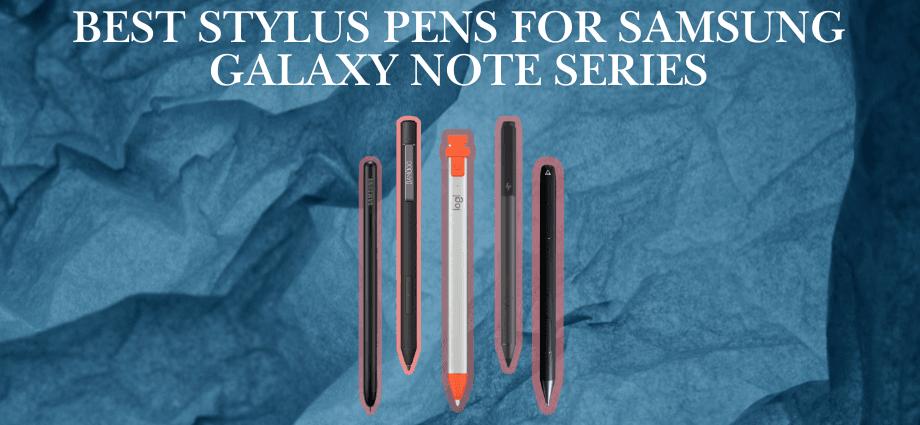
The Samsung S Pen Pro, Adonit Note-M, Wacom Bamboo Ink Plus, HP Tilt Pen, and Logitech Crayon stand out as excellent stylus options for the Samsung Galaxy Note series. Each offers distinct features to suit various needs, from precision and multifunctionality to versatility and durability.
When choosing the right stylus, consider your primary tasks, budget, and the features that will enhance your productivity and creativity. A quality stylus can elevate your Galaxy Note experience, making activities like note-taking, drawing, and device navigation smoother and more enjoyable.
Share this content:
