Google Nest WiFi vs Eero: Best Smart Mesh Networks
When it comes to providing reliable and fast WiFi across your home, traditional routers often fall short, especially in larger spaces. This is where mesh WiFi systems come in. By using multiple access points, mesh WiFi provides a seamless internet experience with better coverage and faster speeds. Among the most popular options today are Google Nest WiFi and Eero, two powerful systems that promise to transform your home’s WiFi network.
Mesh Networking
A mesh WiFi system works by using several units (or “nodes”) that work together to create a unified network. Unlike traditional WiFi routers, where only one unit broadcasts the signal, mesh networks distribute the signal throughout your home, eliminating dead zones and ensuring more consistent coverage. Mesh networks are particularly useful for larger homes or homes with multiple floors. They are also great for families or users who have multiple devices connected at once, such as smart TVs, computers, gaming consoles, and smart home devices like Amazon Alexa or Google Nest Thermostats.
Both Google Nest WiFi and Eero offer smart mesh networking, but they differ in features, performance, and price. Let’s explore the details of each system to see which one works best for your needs.
Overview of Google Nest WiFi
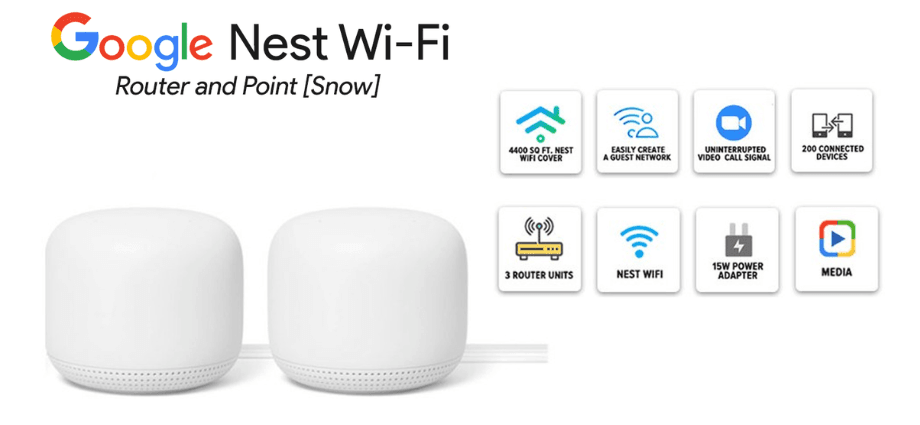
Google Nest WiFi is part of Google’s larger smart home ecosystem. It’s designed to be user-friendly, offering straightforward setup and reliable performance. The system is sleek, simple, and integrates easily with other Google devices, making it a popular choice for users already invested in Google products.
Features and Specifications of Google Nest WiFi
- Dual-Band System: Google Nest WiFi operates on a dual-band setup, which means it uses two frequency bands: 2.4GHz and 5GHz. This allows for more stable connections and reduces interference from other household devices.
- Coverage and Speed: The standard Google Nest WiFi router can cover up to 2200 square feet. With an additional access point, you can extend the coverage to larger areas. It supports speeds up to 2.2Gbps, ideal for HD video streaming and gaming.
- Smart Home Integration: A standout feature of Google Nest WiFi is its built-in Google Assistant. This allows you to control smart home devices, such as lights, thermostats, and security cameras, with your voice. If you already own Google Nest Hub or Google Pixel devices, this integration is seamless and makes managing your home network even easier.
- Simple Setup: Setting up the Google Nest WiFi system is simple and straightforward. With the Google Home app, you can get the system up and running in minutes. The app also helps you manage devices connected to your network and optimize WiFi performance.
Pros and Cons of Google Nest WiFi
Pros:
- Easy Setup: Google’s intuitive Home app makes installation fast and hassle-free.
- Strong Integration with Google Devices: Perfect for users already invested in the Google ecosystem, such as those with Google Assistant, Nest Protect, or Nest cameras.
- Reliable Performance: Provides consistent WiFi speeds for everyday tasks such as browsing, streaming, and video calls.
Cons:
- Dual-Band Only: The Google Nest WiFi lacks tri-band technology, which may limit performance in larger homes or environments with many connected devices.
- Limited Customization: Advanced users who prefer to fine-tune settings might find Google Nest WiFi’s options too simplistic.
Overview of Eero WiFi
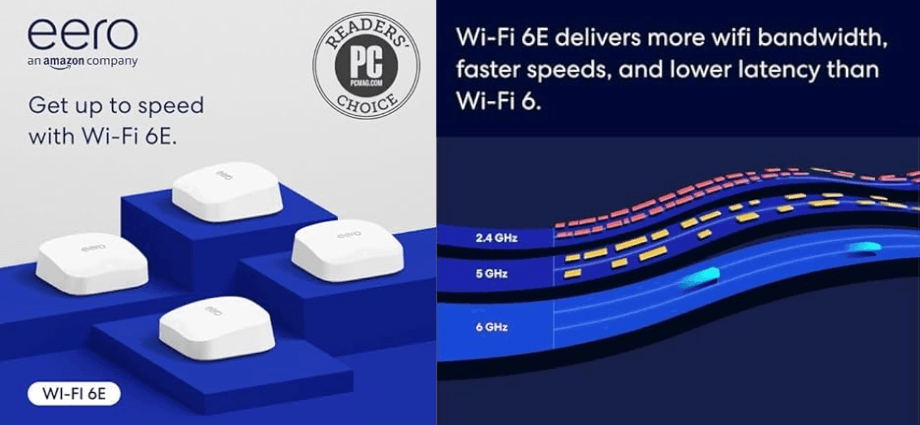
Eero, owned by Amazon, has been a leading name in the mesh WiFi market. Known for its performance and flexibility, Eero offers multiple models with different capabilities, from basic dual-band models to advanced tri-band systems.
Features and Specifications of Eero WiFi
- Dual and Tri-Band Models: Eero offers both dual-band and tri-band models. The Eero Pro 6, for example, uses three channels (2.4GHz, 5GHz, and an additional 5GHz band) to deliver faster speeds and minimize network congestion, making it ideal for larger homes.
- Coverage and Speed: The base Eero unit provides coverage up to 2000 square feet, and like Google Nest WiFi, it can be extended with additional units. Eero Pro 6 can cover up to 6000 square feet, ensuring robust performance even in large homes.
- Amazon Integration: Eero’s mesh systems integrate well with Amazon Alexa. You can use voice commands to manage your WiFi network or smart home devices, making it a perfect addition for users already using Alexa-enabled products like Echo speakers.
- App-Based Management: The Eero app makes it easy to set up your mesh network and monitor performance. You can view device activity, run speed tests, and make adjustments to ensure optimal performance.
Pros and Cons of Eero WiFi
Pros:
- Tri-Band Options: Tri-band systems like the Eero Pro 6 offer better performance in large homes with many connected devices.
- Amazon Integration: If you already have Alexa devices, Eero’s integration with Amazon’s ecosystem is highly beneficial.
- Scalability: You can easily add more Eero units to your network, allowing it to grow as your needs evolve.
Cons:
- Higher Cost: Eero’s advanced models, particularly the Eero Pro 6, come at a higher price than Google Nest WiFi systems.
- No Built-In Voice Assistant: Unlike Google Nest WiFi, Eero does not include a built-in voice assistant, although it does integrate with Alexa.
Key Differences Between Google Nest WiFi and Eero
Both Google Nest WiFi and Eero offer great features, but there are key differences that could sway your decision.
Speed and Coverage Comparison
- Google Nest WiFi: Ideal for smaller homes or apartments, offering up to 2200 square feet of coverage. However, its dual-band setup may not be enough for larger spaces or more demanding users.
- Eero: Offers better scalability with tri-band options like the Eero Pro 6, which can cover up to 6000 square feet and support faster speeds, making it the better option for large homes or tech-heavy households.
Setup and User Experience
- Google Nest WiFi: The setup process is simple and guided by the Google Home app, making it very easy to use for beginners. Its integration with other Google products is a major plus.
- Eero: Eero also offers a straightforward setup process via the Eero app. However, it provides more detailed control over your network, which may be appealing for users who want more customization.
Pricing and Value for Money
- Google Nest WiFi: Priced competitively, especially for smaller homes or apartments. It provides good value for users who don’t need tri-band technology.
- Eero: While more expensive, the Eero Pro 6 offers more advanced features and better performance in larger homes. For those willing to pay a bit more, Eero’s higher price point can offer greater flexibility and faster speeds.
Which is the Best Smart Mesh Network for You?
Your decision should depend on the size of your home, your budget, and the devices you plan to connect to your network.
Best Option for Budget-Conscious Users
If you’re looking for an affordable mesh system that works well in small to medium-sized homes, Google Nest WiFi is a great choice. Its easy setup and integration with other Google products make it a top option for users already within the Google ecosystem.
Best Option for Large Homes and Advanced Users
For larger homes or users who require more control over their network, Eero is the better option. The Eero Pro 6 offers faster speeds, tri-band technology, and the ability to add additional units, making it perfect for homes with multiple floors or many devices.
Conclusion
Both Google Nest WiFi and Eero offer excellent mesh networking solutions, with each having its strengths and weaknesses. If you’re already embedded in the Google ecosystem, or you have a smaller home, Google Nest WiFi is a fantastic option. On the other hand, if you have a larger home, a more complex network, or require the best possible performance, Eero is likely the better choice.
Ultimately, the decision comes down to your specific needs, whether it’s seamless integration with Google Assistant, better coverage, or the need for higher speeds and more customization options. Either way, both mesh networks are top contenders in the WiFi market and will provide solid performance for your home.
Share this content:
