The Best Stylus Pens for Tablets and Smartphones

In today’s digital age, tablets and smartphones are indispensable tools for both personal and professional use. A stylus pen can enhance your experience, offering precision and ease whether you’re taking notes, drawing, or navigating your device.
Why You Need a Stylus Pen for Tablets and Smartphones
A stylus pen can greatly improve the user experience on tablets and smartphones, offering more accuracy than using your finger. It’s not only useful for artists, but it’s also a great tool for anyone who wants to enhance their efficiency or creativity.
Enhanced Precision and Control
A stylus offers better precision and control, making it perfect for tasks that require detailed input, like drawing, note-taking, and navigation. Using your finger may not always provide the same level of accuracy, especially when dealing with small text or intricate designs.
Ideal for Artists and Designers
For digital artists and designers, a stylus is essential. It allows for more natural movements while sketching or designing. Stylus pens with features like pressure sensitivity and tilt recognition can replicate the feel of traditional tools, offering a more intuitive and enjoyable creative process.
Efficient for Everyday Tasks
A stylus pen isn’t just for artists. It’s also beneficial for everyday tasks like note-taking, browsing, or signing documents. It helps prevent smudges on your screen, provides more accurate text selection, and can even be used to scroll through long documents or websites more comfortably.
Key Features to Look for in Stylus Pens
When choosing a stylus, it’s important to consider certain features that can enhance your experience. These features impact everything from drawing precision to comfort during extended use, so understanding them will help you make a more informed decision.
Pressure Sensitivity
Styluses with pressure sensitivity provide a more dynamic experience, especially for artists or anyone who requires varying line thickness. The harder you press, the thicker or darker the line, which creates a more natural drawing or writing experience. Higher sensitivity levels generally provide more control and a smoother experience.
Compatibility
Not all stylus pens work with every device. Some are specifically designed for certain brands or models. For example, the Apple Pencil is perfect for iPads, while the Samsung S Pen is tailored to Galaxy devices. Ensure the stylus you choose is compatible with your tablet or smartphone to ensure a seamless experience.
Battery Life and Charging
The battery life of your stylus is a crucial factor. Some stylus pens are rechargeable, while others use disposable batteries. Rechargeable models are more cost-effective in the long run and are often more environmentally friendly. Also, some stylus pens come with fast-charging capabilities, ensuring you don’t have to wait too long to start using them again.
Ergonomics and Comfort
When using a stylus for long periods, comfort is key. A well-designed pen with a comfortable grip will reduce hand strain. Some pens also come with added features such as customizable buttons or pressure settings to improve ease of use. The ergonomics of the pen can make a big difference in your overall experience.
Top Stylus Pens for Tablets and Smartphones
Here are some of the best stylus pens available today, each offering distinct advantages for different types of users. These recommendations cater to a variety of needs, from casual users to professionals who require high precision.
1. Apple Pencil (2nd Generation)
Best for iPad Users
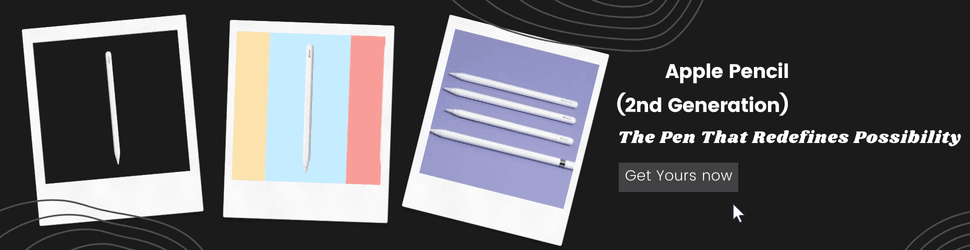
The Apple Pencil (2nd Gen) offers exceptional performance with advanced features, making it the best choice for iPad users. It is responsive, precise, and ideal for drawing or taking notes.
- Key Features: The Apple Pencil 2 boasts pressure sensitivity, tilt recognition, and ultra-low latency. It also charges magnetically, eliminating the need for extra cables. The sleek design and seamless integration with iPadOS create a user-friendly experience for all tasks, from professional design work to casual note-taking.
- Compatibility: Compatible with iPad Pro (3rd generation and later), iPad Air (4th generation and later), and iPad mini (5th generation).
- Why It’s Great: The Apple Pencil offers unparalleled performance with Apple devices, making it the top choice for anyone seeking premium performance and precision.
2. Samsung S Pen
Best for Samsung Galaxy Devices
For users of Samsung Galaxy devices, the S Pen is an exceptional choice. Known for its versatility and Bluetooth capabilities, the S Pen enhances the user experience in ways that other styluses can’t match.
- Key Features: The S Pen offers remarkable precision and pressure sensitivity, as well as Bluetooth connectivity. This allows users to control the device remotely, which is useful for tasks like flipping slides or controlling media playback.
- Compatibility: Works with the Samsung Galaxy Note series, Galaxy Tab S series, and other Galaxy devices.
- Why It’s Great: With its impressive functionality and integration with Samsung devices, the S Pen is the go-to stylus for Samsung users, providing both creative and productive capabilities.
3. Logitech Crayon
Affordable Option for iPads
The Logitech Crayon is a more affordable alternative to the Apple Pencil but still provides a great user experience. It is perfect for those who need a reliable stylus for everyday tasks without breaking the bank.
- Key Features: The Crayon offers precise writing and drawing performance with excellent accuracy. Its ergonomic design and long battery life make it a reliable option for both casual and educational use.
- Compatibility: Compatible with iPad (6th generation and later).
- Why It’s Great: The Logitech Crayon provides solid performance at a lower price point, making it ideal for students and anyone looking for a budget-friendly stylus option.
4. Adonit Note+
Best for Multi-Device Use
The Adonit Note+ is a versatile stylus that works well across both iOS and Android devices, making it ideal for those with multiple gadgets.
- Key Features: With pressure sensitivity and tilt functionality, the Adonit Note+ is suitable for both artists and note-takers. It’s lightweight, has a comfortable grip, and offers excellent battery life with fast charging.
- Compatibility: Compatible with most iOS and Android tablets.
- Why It’s Great: Its compatibility across various platforms makes the Adonit Note+ an excellent choice for multi-device users. Plus, its affordable price doesn’t compromise on quality.
5. Wacom Bamboo Ink Plus
Best for Windows Users
The Wacom Bamboo Ink Plus is perfect for users of Windows tablets and devices. It offers a high degree of precision, making it a great choice for digital artists, designers, and professionals.
- Key Features: This stylus supports both pressure sensitivity and customizable buttons. It has excellent performance for digital drawing and note-taking and is designed for a more natural, pen-like feel.
- Compatibility: Compatible with Windows 10 devices and some Android tablets.
- Why It’s Great: Wacom’s reputation for producing high-quality styluses makes the Bamboo Ink Plus a reliable and professional tool for Windows users.
How to Choose the Right Stylus Pen for Your Needs
Selecting the right stylus depends on your specific needs, whether you’re an artist, a student, or someone who simply needs a reliable pen for everyday tasks.
Consider the Type of Work You’ll Do
- For Artists: You’ll want a stylus with pressure sensitivity and tilt functionality. Pens like the Apple Pencil or Samsung S Pen are great choices for professionals.
- For Note-Taking: A basic stylus with precision and comfort is all you need for taking notes or browsing. Consider the Logitech Crayon or Adonit Note+ for a balance of performance and price.
- For Multi-Device Use: If you have devices from different brands, a stylus like the Adonit Note+ or Wacom Bamboo Ink Plus can work seamlessly across various platforms.
Check Compatibility
Make sure the stylus is compatible with your device. Some stylus pens are specifically designed for Apple products, while others work with Android or Windows devices.
Battery Life and Charging
Consider how long you need the stylus to last. A rechargeable stylus can save you money in the long run, while a non-rechargeable one may be more affordable initially. Ensure you choose a pen with sufficient battery life for your usage.
Conclusion
A stylus pen is an essential tool for anyone who uses tablets or smartphones for work, creativity, or everyday tasks. By considering the features that matter most—such as pressure sensitivity, compatibility, and ergonomics—you can find the best stylus pen to enhance your digital experience. Whether you’re a professional artist, student, or casual user, there’s a stylus for everyone. Choose wisely, and you’ll enjoy a more precise, efficient, and enjoyable experience with your device.
Share this content:
