Best Wireless Keyboards for Productivity

Wireless keyboards have become essential tools for improving productivity in both office and home settings. They offer the flexibility of a clutter-free workspace, easy connectivity, and the convenience of working from different locations. Whether you’re typing emails, working on documents, or navigating spreadsheets, a good wireless keyboard can help improve your typing speed and comfort.
In this article, we will explore some of the best wireless keyboards available today, comparing their features, pros, and cons. We’ll highlight what makes them ideal for enhancing productivity, so you can make an informed decision on the best keyboard for your needs.
Key Features to Look for in Wireless Keyboards for Productivity
When choosing a wireless keyboard for productivity, several factors come into play. Understanding these features will help you select a keyboard that works best for your work style.
Typing Experience and Key Switches
A comfortable typing experience is essential for increasing typing speed and reducing fatigue during long hours of use.
- Mechanical Key Switches: These provide tactile feedback, fast response, and durability, making them ideal for typists who value speed and precision.
- Membrane Switches: These are quieter and softer, offering a smoother typing experience but are generally less durable.
- Scissor Switches: A middle ground, offering a quieter typing experience with some tactile feedback.
A good typing experience is key to improving productivity, so choosing the right key switch is essential for your comfort.
Connectivity Options
The connectivity of a wireless keyboard ensures it can seamlessly connect to your devices without interruption.
- Bluetooth: Ideal for connecting to multiple devices, it offers convenience and flexibility.
- USB Dongle: Reliable for desktops or devices without Bluetooth support.
- 2.4 GHz Wireless: Provides a stable, long-range connection, usually via a USB receiver.
The choice of connectivity depends on your devices and the range you need for your workspace.
Ergonomics and Comfort
Ergonomics are crucial for productivity. A poorly designed keyboard can lead to discomfort and strain during long typing sessions.
- Split Keyboards: Designed to reduce strain by splitting the keyboard into two sections.
- Palm Rests: Cushioned palm rests help reduce wrist strain during extended typing sessions.
- Adjustable Angles: Many ergonomic keyboards offer adjustable angles to suit your typing posture.
Comfort is key for long-term productivity, so selecting a keyboard with an ergonomic design will help avoid strain.
Battery Life
Battery life is important, especially for users who type for long hours. A keyboard that lasts longer without frequent charging is a must.
- Rechargeable Batteries: These are convenient and eco-friendly, lasting for weeks on a single charge.
- Disposable Batteries: While less environmentally friendly, they can be more convenient for users who prefer not to recharge frequently.
Long battery life reduces interruptions, allowing you to focus on your work.
Top Wireless Keyboards for Productivity
Here are some of the top wireless keyboards for productivity, each with unique features suited to different work needs.
1. Logitech MX Keys
Overview: The Logitech MX Keys is known for its comfort and advanced features, making it ideal for professionals who need a reliable and efficient keyboard.
- Pros and Cons
- Pros:
- Comfortable typing with low-profile, scissor switches.
- Backlit keys that adjust based on ambient light.
- Multi-device connectivity, allowing easy switching between up to 3 devices.
- Cons:
- Expensive compared to budget models.
- No ergonomic split design for wrist support.
- Best For: Professionals who need a high-quality keyboard for office work with easy device switching.
- Pros:
The Logitech MX Keys is perfect for users who want a reliable and feature-rich keyboard that works across multiple devices.
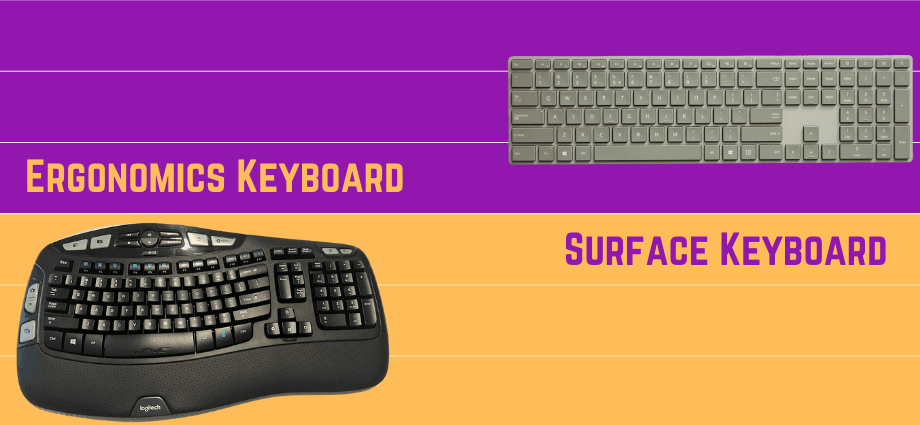
2. Microsoft Surface Keyboard
Overview: The Microsoft Surface Keyboard offers a sleek and minimalist design, ideal for those who prefer a simple yet premium typing experience.
- Pros and Cons
- Pros:
- Low-profile keys for smooth and quiet typing.
- Great integration with Surface devices, especially with Windows.
- Compact design to save desk space.
- Cons:
- Limited customization options for advanced users.
- No backlighting, which may be inconvenient for low-light work environments.
- Best For: Surface users and minimalists who prefer a simple design.
- Pros:
The Microsoft Surface Keyboard excels at providing a high-quality typing experience, ideal for everyday productivity.
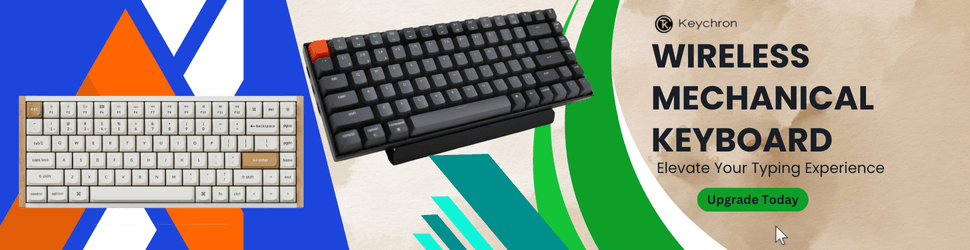
3. Keychron K2 Wireless Mechanical Keyboard
Overview: The Keychron K2 is a compact mechanical wireless keyboard that’s ideal for users who value tactile feedback and speed.
- Pros and Cons
- Pros:
- Mechanical key switches for a responsive typing experience.
- Long battery life (up to 72 hours with RGB off).
- Multi-device connectivity with Bluetooth and wired options.
- Cons:
- Louder key switches may not be ideal for shared spaces.
- Smaller keys could take time to adjust to, especially for users with larger hands.
- Best For: Users who need precision and tactile feedback for productive typing.
- Pros:
The Keychron K2 is perfect for anyone who enjoys fast and precise typing with mechanical switches while still benefiting from wireless functionality.
4. Logitech K780 Multi-Device Wireless Keyboard
Overview: The Logitech K780 is a versatile, full-sized wireless keyboard that allows easy switching between computers, phones, and tablets.
- Pros and Cons
- Pros:
- Multi-device support, allowing switching between phones, tablets, and computers.
- Built-in stand for holding devices while typing.
- Affordable for its features.
- Cons:
- Bulky design may not appeal to users seeking a compact keyboard.
- No backlit keys, which is a downside in low-light conditions.
- Best For: Users who work across multiple devices and need an all-in-one solution.
- Pros:
The Logitech K780 is perfect for multitaskers who need a reliable, full-sized keyboard to manage multiple devices.
5. Logitech Ergo K860
Overview: The Logitech Ergo K860 is a top choice for anyone seeking an ergonomic keyboard designed to reduce strain during long typing sessions.
- Pros and Cons
- Pros:
- Ergonomic design with a curved, split layout for reduced wrist strain.
- Cushioned palm rest for comfort.
- Wireless and Bluetooth connectivity for flexibility.
- Cons:
- Bulky design that requires more desk space.
- Expensive compared to simpler models.
- Best For: Users who prioritize ergonomics and comfort for extended work sessions.
- Pros:
The Logitech Ergo K860 is perfect for anyone seeking an ergonomic keyboard that supports long hours of typing with reduced strain.
How to Choose the Best Wireless Keyboard for Productivity
Choosing the best wireless keyboard depends on several factors, including your typing needs, work environment, and personal preferences.
For Comfort and Ergonomics
- If comfort is your priority, consider ergonomic options like the Logitech Ergo K860, which features a split design to reduce wrist strain.
For Typing Speed and Responsiveness
- If you need faster typing and tactile feedback, the Keychron K2 is ideal with its mechanical switches for precision and speed.
For Multi-Device Connectivity
- If you work across different devices, the Logitech K780 offers excellent multi-device support for seamless transitions between your computer, phone, and tablet.
Conclusion
When choosing a wireless keyboard for productivity, it’s important to consider factors like typing experience, ergonomics, and multi-device connectivity. The Logitech MX Keys offers a great combination of comfort and smart features, while the Keychron K2 excels in speed and precision with its mechanical switches. If ergonomics are crucial for you, the Logitech Ergo K860 provides outstanding support for long hours of typing. Whatever your needs, there’s a wireless keyboard that can help improve your productivity and make typing a more comfortable experience.
Share this content:
