Best Cybersecurity Tips for Android and iOS Users
In today’s digital age, smartphones have become an integral part of our lives. With the increasing amount of personal and sensitive information stored on these devices, ensuring their security is more important than ever. Cyber threats such as malware, phishing attacks, and data breaches are constantly evolving, making it crucial for Android and iOS users to take proactive measures to protect their devices and data.
Securing Your Device
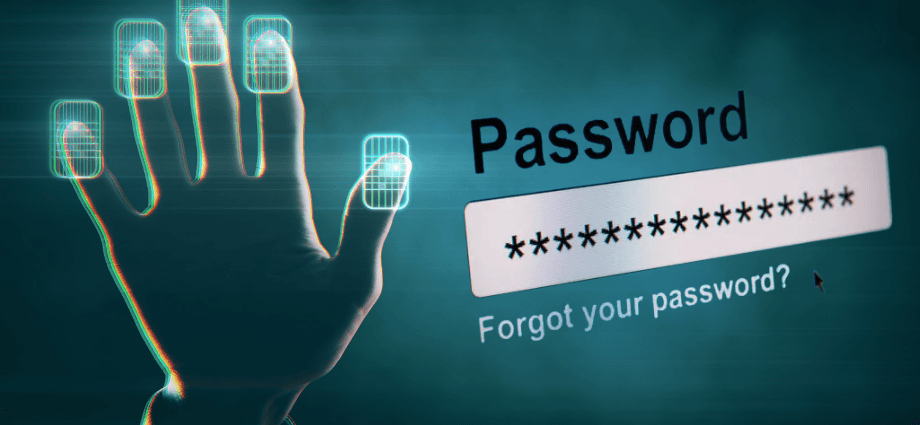
Securing your device is the first step in protecting your personal information and ensuring your online safety. By implementing strong security measures, you can reduce the risk of unauthorized access and keep your device secure.
Use Strong Passwords and Biometrics
Using strong passwords and biometric authentication methods, such as fingerprint or facial recognition, can significantly enhance the security of your device.
- Create complex passwords with a mix of letters, numbers, and special characters
- Avoid using easily guessable information, such as birthdays or common words
- Enable biometric authentication for an added layer of security
By using strong passwords and biometrics, you can make it more difficult for unauthorized users to access your device. This added layer of security helps protect your personal information and ensures that only you can access your device.
Enable Two-Factor Authentication
Two-factor authentication (2FA) adds an extra layer of security by requiring a second form of verification in addition to your password.
- Provides an additional layer of protection for your accounts
- Reduces the risk of unauthorized access
- Enhances overall security
To enable 2FA, go to your account settings and follow the prompts to set up this feature. This will help protect your accounts from potential threats by requiring a second form of verification, such as a code sent to your phone or an authentication app.
Keep Your Device Updated
Keeping your device’s software up to date is crucial for maintaining its security. Software updates often include important security patches that protect against new threats.
- Enable automatic updates to ensure your device is always up to date
- Regularly check for and install available updates
- Update apps to their latest versions
By keeping your device updated, you can protect it from vulnerabilities and ensure it remains secure. Regular updates help patch security flaws and protect your device from potential threats.
Protecting Your Data
Protecting your data is essential for maintaining your privacy and preventing unauthorized access to your personal information. By implementing data protection measures, you can safeguard your sensitive information and ensure it remains secure.
Backup Your Data Regularly
Regularly backing up your data ensures that you can recover your information in case of device loss, theft, or damage.
- Use cloud services to automatically back up your data
- Regularly back up your data to an external storage device
- Ensure that your backups are encrypted for added security
By regularly backing up your data, you can ensure that your information is safe and can be easily restored if needed. This helps protect your data from loss and ensures that you can recover important information in case of an emergency.
Use Encryption
Encrypting your data adds an extra layer of protection, making it more difficult for unauthorized users to access your information.
- Enable device encryption in your settings
- Use encrypted messaging apps for secure communication
- Encrypt sensitive files and documents
By using encryption, you can protect your data from potential threats and ensure its security. Encryption helps safeguard your information by making it unreadable to unauthorized users.
Be Cautious with Public Wi-Fi
Using public Wi-Fi networks can expose your device to potential security risks. It’s important to take precautions when connecting to public Wi-Fi.
- Avoid accessing sensitive information, such as online banking, on public Wi-Fi
- Use a virtual private network (VPN) to encrypt your internet connection
- Disable automatic Wi-Fi connections to prevent your device from connecting to unsecured networks
By being cautious with public Wi-Fi, you can protect your device and data from potential threats. Using a VPN helps encrypt your internet connection and ensures that your data remains secure while using public Wi-Fi.
Safe Browsing and App Usage
Practicing safe browsing and app usage is essential for protecting your device from malware and other security threats. By following safe browsing practices and being cautious with app downloads, you can reduce the risk of security breaches.
Use Secure Browsers
Using secure browsers can help protect your device from malicious websites and online threats.
- Choose browsers with built-in security features, such as Google Chrome or Mozilla Firefox
- Enable browser security settings, such as blocking pop-ups and enabling safe browsing
- Regularly update your browser to the latest version
By using secure browsers, you can enhance your online security and protect your device from potential threats. Secure browsers help block malicious websites and provide additional security features to keep your device safe.
Download Apps from Trusted Sources
Downloading apps from trusted sources, such as the Google Play Store or Apple App Store, can help protect your device from malware and other security risks.
- Avoid downloading apps from unknown or untrusted sources
- Check app reviews and ratings before downloading
- Verify the developer’s information to ensure the app’s legitimacy
By downloading apps from trusted sources, you can reduce the risk of installing malicious software on your device. Trusted app stores have security measures in place to help protect users from harmful apps.
Manage App Permissions
Managing app permissions can help protect your personal information and prevent unauthorized access to your data.
- Review app permissions regularly and adjust as needed
- Disable unnecessary permissions, such as access to your location or contacts
- Be cautious when granting permissions to new apps
By managing app permissions, you can control what information apps can access and protect your privacy. Regularly reviewing and adjusting app permissions helps ensure that apps only have access to the information they need.
Additional Security Measures
Implementing additional security measures can further enhance the protection of your device and data. By taking extra precautions, you can ensure that your device remains secure and your personal information is protected.
Install Antivirus Software
Installing antivirus software on your device can help detect and remove malware, providing an extra layer of security.
- Choose reputable antivirus apps, such as Avast or Norton
- Regularly update your antivirus software to ensure it remains effective
- Perform regular scans to detect and remove potential threats
By installing antivirus software, you can protect your device from malware and other security risks. Antivirus apps help detect and remove harmful software, keeping your device secure.
Enable Remote Wipe
Enabling the remote wipe feature allows you to erase your device’s data if it is lost or stolen, preventing unauthorized access to your information.
- Enable remote wipe in your device’s settings
- Ensure that your device is connected to a cloud service for remote access
- Test the remote wipe feature to ensure it works correctly
By enabling remote wipe, you can protect your data in case your device is lost or stolen. Remote wipe helps ensure that your personal information remains secure, even if your device falls into the wrong hands.
Be Aware of Phishing Scams
Phishing scams are a common method used by cybercriminals to steal personal information. It’s important to be aware of these scams and know how to avoid them.
- Be cautious of unsolicited emails or messages asking for personal information
- Verify the sender’s information before clicking on links or downloading attachments
- Use email filters to block potential phishing emails
By being aware of phishing scams, you can protect your personal information and avoid falling victim to these attacks. Recognizing and avoiding phishing scams helps safeguard your data and ensures your online security.
Conclusion
Implementing these cybersecurity tips can help protect your Android or iOS device from potential threats. By securing your device, protecting your data, practicing safe browsing and app usage, and implementing additional security measures, you can enhance your online security and ensure your personal information remains safe. Stay vigilant and proactive in maintaining your device’s security to enjoy a safer digital experience.
Share this content:
