Optimizing Your Device for Gaming Performance
Gaming requires a device that runs smoothly and efficiently. Optimizing your device not only improves your gaming experience but also ensures the hardware lasts longer. This guide will help you maximize performance using simple and effective steps.
Essential Settings for Maximum Gaming Performance
Getting the best performance often starts with tweaking software settings. These changes can significantly improve your gaming experience without requiring expensive upgrades.
Adjust Graphics Settings
Graphics settings can heavily impact your gameplay. Lowering certain settings can make your device run smoother. Reducing the resolution is an effective way to improve frame rates. Additionally, turning off non-essential effects like shadows, reflections, or anti-aliasing can significantly lighten the load on your GPU. Adjusting your FPS settings or choosing medium to low graphics settings for demanding games often ensures a more stable and responsive experience.
Close Background Apps
Background apps consume valuable resources that gaming needs to run efficiently. To address this, open the Task Manager (or Activity Monitor for Mac users) to identify programs running in the background. Closing non-essential apps, such as browsers, chat software, or media players, can free up RAM and CPU resources. By ensuring that only gaming-related processes are running, your system will prioritize the game, leading to a smoother experience.
Update Drivers and Software
Outdated drivers or software can bottleneck your gaming performance. Keeping them updated ensures compatibility with the latest games.
- Regularly update your GPU and CPU drivers using manufacturer-provided tools like Nvidia GeForce Experience or AMD Radeon Software.
- Ensure your operating system is running its latest version.
Updates often fix bugs and improve game stability, so make this a habit.
Advanced Hardware Tweaks
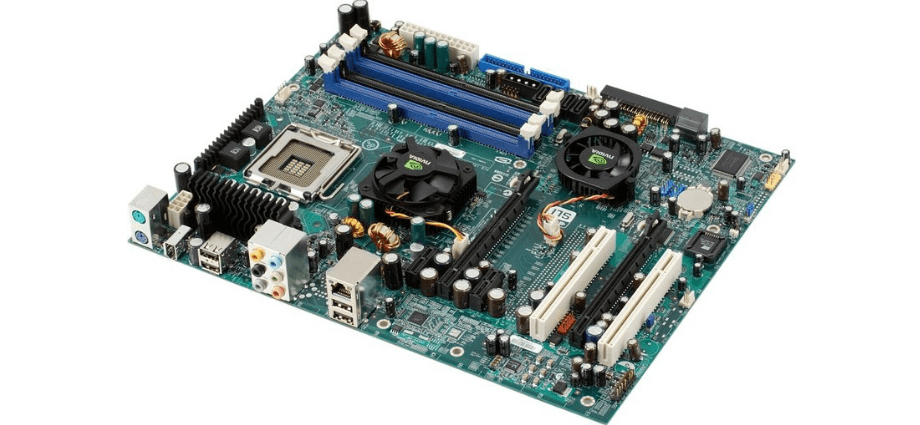
For gamers seeking a significant performance boost, hardware upgrades and tweaks are highly effective. While these require some investment, the results are worth it.
Overclocking
Overclocking involves increasing the performance of your CPU or GPU beyond its default limits. While it carries some risks, such as overheating, it can significantly boost speed if done correctly. Research your device’s overclocking potential and use trusted software like MSI Afterburner for precise control. It’s also essential to monitor your device’s temperature during this process to avoid overheating or hardware damage.
Adding More RAM
RAM is essential for multitasking and gaming, and increasing its capacity ensures your system can handle modern games efficiently. First, check your device’s current RAM usage and capacity to determine if an upgrade is needed. Once confirmed, purchase compatible RAM sticks for your device. You can either follow tutorials to install the RAM yourself or consult a professional for assistance. This upgrade is cost-effective and offers noticeable improvements in speed and performance.
Upgrade Storage to SSD
Solid-state drives (SSDs) are faster and more reliable than traditional hard drives, making them an ideal upgrade for gaming devices. Replacing your hard drive with an SSD significantly reduces game loading times, offering a smoother experience. If your motherboard supports it, opt for NVMe SSDs for maximum speed. Migrating data to an SSD may take some effort, but the enhanced performance makes it a worthwhile investment.
Network Optimization Tips
Online gaming requires a stable and fast internet connection. Optimizing your network can reduce lag and improve your overall experience.
Use a Wired Connection
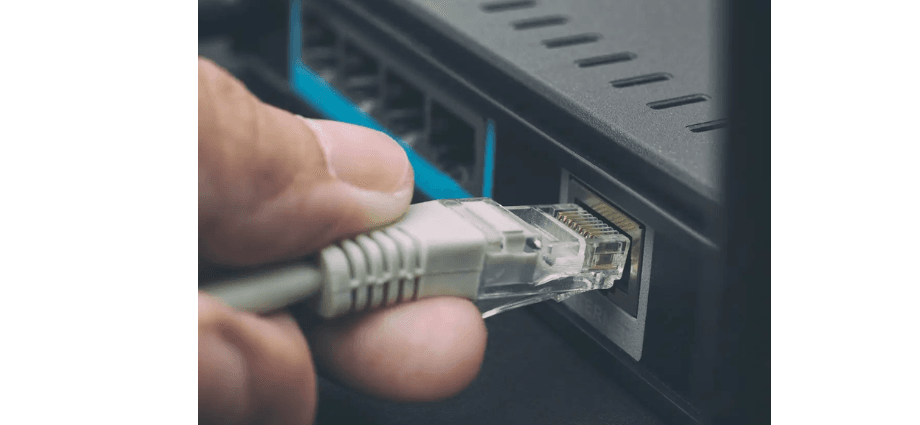
Wi-Fi is convenient, but it’s not always reliable for gaming. A wired connection offers stability and reduces latency. Using an Ethernet cable to connect your device directly to the router can significantly improve your connection. High-quality cables, like Cat 6 or Cat 7, are recommended for better speed and performance, ensuring uninterrupted online gaming sessions.
Minimize Network Congestion
A crowded network can slow down your gaming speeds. To reduce congestion, start by disconnecting unused devices from your network. Adjusting your router’s settings to prioritize gaming traffic through Quality of Service (QoS) can also help. Additionally, schedule large downloads, such as updates or backups, during non-gaming hours. These adjustments ensure your internet bandwidth is focused on your gaming device for a smoother experience.
Use a Gaming VPN
A gaming VPN can reduce latency and provide a more secure connection by routing traffic through optimized servers. Choose a VPN specifically designed for gaming to avoid speed drops and connect to servers close to your region for better performance. Beyond improving speed, gaming VPNs also protect against DDoS attacks, adding an extra layer of security during online matches.
Maintaining Device Health
A healthy device performs better over time. Proper care ensures consistent gaming performance and avoids hardware issues.
Clean Your Device Regularly
Dust buildup can cause overheating, leading to performance drops or hardware failure.
- Use compressed air to clean your keyboard, vents, and fans.
- Avoid using water-based cleaning solutions on electronics.
- Consider opening your device to clean internal components carefully.
Keeping your device clean helps maintain airflow and reduces the risk of overheating.
Monitor Device Temperature
Overheating can slow down your device and damage components. Monitoring and managing your system’s temperature is crucial for maintaining performance. Use software like HWMonitor or Core Temp to track temperatures and ensure your device stays within safe limits. If needed, invest in cooling solutions such as laptop cooling pads or additional case fans to prevent overheating during extended gaming sessions.
Keep Your Device Malware-Free
Malware and viruses can consume system resources, reducing gaming performance. Installing a lightweight antivirus program is essential to ensure your system remains secure without affecting gaming speed. Schedule regular scans to identify and remove malware or adware. By keeping your device malware-free, you maintain smooth and efficient performance during gaming.
Conclusion: Sustaining Long-Term Gaming Performance
Optimizing your device for gaming requires regular updates, careful adjustments, and proper maintenance. By tweaking graphics settings, upgrading hardware, and maintaining a clean and malware-free device, you can enjoy smooth gameplay for years. Consider creating a checklist to ensure your system stays optimized. Following these steps consistently will enhance your gaming experience and extend the life of your device.
Share this content:
