How to Set Up Two-Factor Authentication on Your Accounts
In today’s digital age, securing your online accounts is more important than ever. Two-factor authentication (2FA) adds an extra layer of security by requiring a second form of verification in addition to your password. This additional step makes it significantly harder for cybercriminals to gain unauthorized access to your accounts. By setting up 2FA, you can protect your sensitive information and ensure that your online activities remain secure. This article will guide you through the process of setting up 2FA on various accounts, ensuring your online security is enhanced.
Understanding Two-Factor Authentication
Two-factor authentication (2FA) is a security measure that requires two forms of verification to access an account. It enhances security by adding an extra layer of protection, making it more difficult for unauthorized users to gain access.
What is Two-Factor Authentication?
Two-factor authentication (2FA) is a security process that requires users to provide two different forms of identification to access their accounts. This typically involves something you know (like a password) and something you have (like a smartphone).
- Enhances security by requiring two forms of verification
- Reduces the risk of unauthorized access
- Provides an additional layer of protection for your accounts
By requiring two forms of verification, 2FA makes it significantly harder for cybercriminals to gain access to your accounts, even if they have your password. This added layer of security is crucial in protecting your sensitive information and online activities.
Types of Two-Factor Authentication
There are several types of two-factor authentication methods available, each offering different levels of security and convenience.
- SMS-based 2FA: Sends a verification code to your mobile phone via SMS
- App-based 2FA: Uses an authentication app to generate verification codes
- Hardware tokens: Uses a physical device to generate verification codes
Each type of 2FA has its own advantages and disadvantages, so it’s important to choose the method that best suits your needs. SMS-based 2FA is convenient but may be less secure than app-based or hardware token methods. App-based 2FA offers a higher level of security and works even without a mobile signal. Hardware tokens provide the highest level of security but may be less convenient to use.
Setting Up Two-Factor Authentication
Setting up two-factor authentication on your accounts is a straightforward process. This section will guide you through the steps to enable 2FA on email, social media, and financial accounts.
Setting Up 2FA on Email Accounts
Enabling 2FA on your email accounts adds an extra layer of security, protecting your sensitive information from unauthorized access.
- Gmail: Go to your Google Account settings, select “Security,” and then “2-Step Verification.” Follow the prompts to set up 2FA using your preferred method.
- Outlook: Go to your Microsoft Account settings, select “Security,” and then “More security options.” Follow the prompts to set up 2FA using your preferred method.
By enabling 2FA on your email accounts, you can ensure that your personal and sensitive information remains secure. Email accounts are often the gateway to other online accounts, so securing them with 2FA is crucial.
Setting Up 2FA on Social Media Accounts
Enabling 2FA on your social media accounts helps protect your personal information and prevent unauthorized access.
- Facebook: Go to your Facebook settings, select “Security and Login,” and then “Use two-factor authentication.” Follow the prompts to set up 2FA using your preferred method.
- Instagram: Go to your Instagram settings, select “Security,” and then “Two-Factor Authentication.” Follow the prompts to set up 2FA using your preferred method.
By enabling 2FA on your social media accounts, you can protect your personal information and prevent unauthorized access. Social media accounts often contain sensitive information and are a target for cybercriminals, so securing them with 2FA is essential.
Setting Up 2FA on Financial Accounts
Enabling 2FA on your financial accounts adds an extra layer of security, protecting your sensitive financial information from unauthorized access.
- Online Banking: Log in to your online banking account, go to the security settings, and follow the prompts to set up 2FA using your preferred method.
- PayPal: Go to your PayPal settings, select “Security,” and then “Set up two-factor authentication.” Follow the prompts to set up 2FA using your preferred method.
By enabling 2FA on your financial accounts, you can ensure that your sensitive financial information remains secure. Financial accounts are particularly vulnerable to cyberattacks, so securing them with 2FA is crucial.
Best Practices for Using Two-Factor Authentication
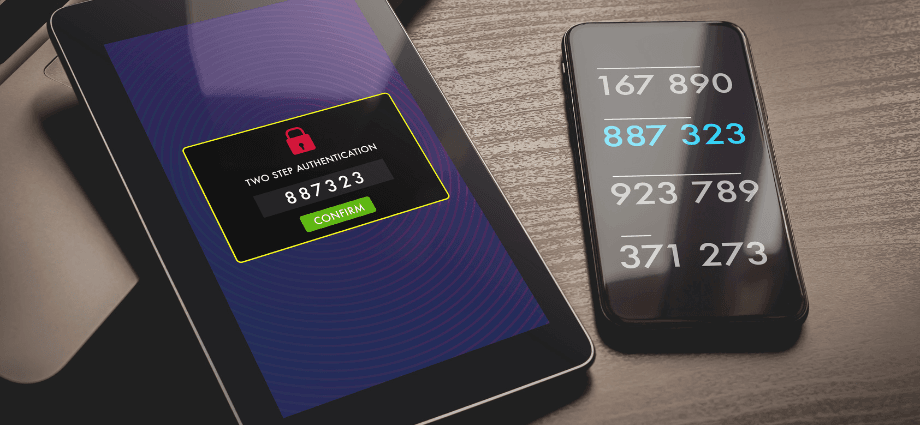
To maximize the effectiveness of two-factor authentication, it’s important to follow best practices. This section covers key tips for using 2FA securely and effectively.
Keeping Backup Codes Secure
Backup codes are essential for accessing your accounts if you lose access to your 2FA device. It’s important to store these codes securely.
- Store backup codes in a secure location, such as a password manager
- Avoid storing backup codes on your phone or computer
- Keep a physical copy of backup codes in a safe place
By keeping your backup codes secure, you can ensure that you can still access your accounts if you lose your 2FA device. Backup codes provide a safety net, allowing you to regain access to your accounts in case of emergencies.
Using Authenticator Apps
Authenticator apps provide a convenient and secure way to generate verification codes for 2FA. They offer several benefits over SMS-based 2FA.
- More secure than SMS-based 2FA
- Works even without a mobile signal
- Popular authenticator apps include Google Authenticator and Authy
Using an authenticator app can enhance the security of your 2FA setup and provide a more reliable method of generating verification codes. Authenticator apps generate time-based codes that are more secure and less susceptible to interception than SMS codes.
Regularly Updating Security Settings
Regularly updating your security settings helps ensure that your accounts remain secure. It’s important to review and update your 2FA settings periodically.
- Review and update your 2FA settings regularly
- Ensure that your contact information is up to date
- Enable additional security features, such as account recovery options
By regularly updating your security settings, you can ensure that your accounts remain protected against new threats. Keeping your contact information up to date ensures that you can receive verification codes and account recovery information when needed.
Troubleshooting Common Issues
While two-factor authentication is a powerful security tool, you may encounter some common issues. This section provides solutions to common 2FA problems.
Lost Access to 2FA Device
If you lose access to your 2FA device, it’s important to know how to recover access to your accounts.
- Use backup codes to regain access
- Contact the account provider’s support team for assistance
- Update your 2FA settings with a new device
By knowing how to recover access, you can ensure that you can still access your accounts even if you lose your 2FA device. Having backup codes and knowing how to contact support can help you quickly regain access to your accounts.
Issues with Receiving SMS Codes
If you’re having trouble receiving SMS codes, there are several common reasons and solutions.
- Ensure that your phone number is correct
- Check for any network issues or signal problems
- Contact your mobile carrier for assistance
By addressing these issues, you can ensure that you receive SMS codes for 2FA without any problems. Ensuring that your phone number is correct and resolving network issues can help you receive verification codes reliably.
Problems with Authenticator Apps
If you’re experiencing issues with authenticator apps, there are several common solutions.
- Ensure that the app is up to date
- Check that the time on your device is synchronized
- Reinstall the app if necessary
By troubleshooting these issues, you can ensure that your authenticator app works correctly and generates accurate verification codes. Keeping the app updated and ensuring that your device’s time is synchronized can help resolve common issues.
Conclusion
In summary, setting up two-factor authentication (2FA) on your accounts is a crucial step in enhancing your online security. By understanding what 2FA is and how it works, you can choose the best method for your needs. Following the steps outlined in this article, you can enable 2FA on your email, social media, and financial accounts, ensuring that your sensitive information remains secure. Additionally, by following best practices and troubleshooting common issues, you can maximize the effectiveness of your 2FA setup. With the right approach, you can protect your online accounts and enjoy peace of mind knowing that your information is secure.
Share this content:
