Setting Up a Home Theater System: A Beginner’s Guide
Setting up a home theater system can significantly enhance your movie-watching, gaming, and media experience. With the right components and configuration, you can create an immersive environment similar to a movie theater. This guide will walk you through everything you need to know to get your home theater system up and running, from choosing the right components to connecting and calibrating the system for optimal performance.
Understanding the Components of a Home Theater System
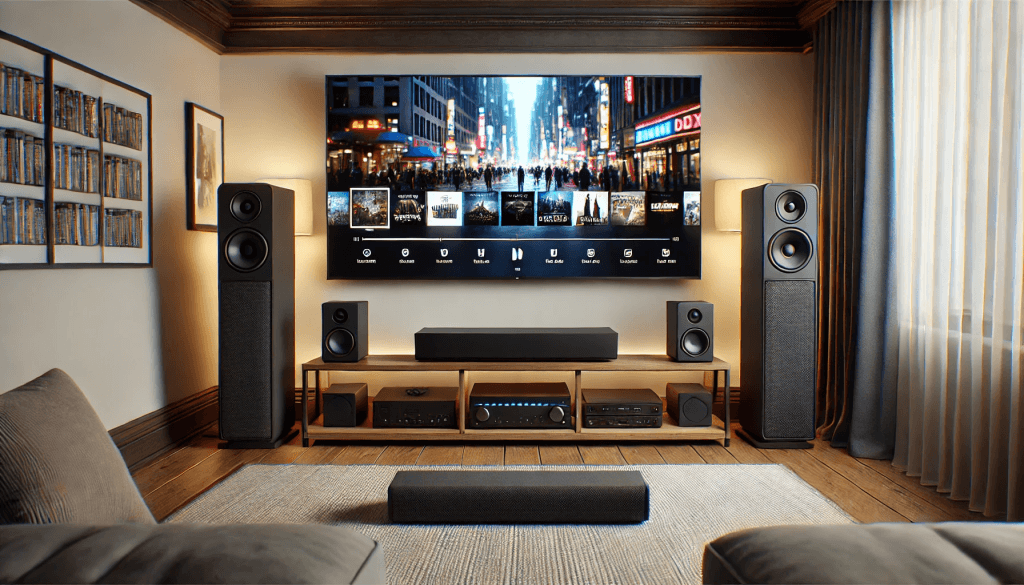
Before diving into the setup process, it’s important to know the essential components of a home theater system. These components work together to deliver an immersive audio and video experience.
Essential Components
The main components you’ll need for your home theater include:
- TV or Projector: The centerpiece for video display.
- Sound System: A soundbar or full speaker setup with a receiver to enhance audio.
- Media Player: Devices like Blu-ray players, gaming consoles, or streaming devices.
- Cables and Connections: HDMI cables, speaker wires, and power strips for connecting everything.
These are the building blocks of your home theater setup, and each plays a key role in delivering the experience you want.
Optional Enhancements
To further enhance your setup, consider adding:
- Subwoofer: For deep bass and more immersive sound.
- Streaming Devices: Additional devices to access streaming services.
- Smart Home Integration: Using smart speakers or lighting to elevate the experience.
Choosing the Right Setup for Your Space
Your home theater setup should be tailored to the size and layout of your room. Consider:
- Whether you have space for a TV or projector.
- The audio configuration that best fits your room’s size.
- Lighting conditions that may impact picture quality for a projector setup.
A well-thought-out setup ensures that your home theater delivers optimal performance and comfort.
Choosing the Right TV or Projector
The heart of any home theater system is the display, and deciding whether to go for a TV or projector depends on several factors.
Factors to Consider When Choosing a TV
When selecting a TV, key factors include:
- Screen Size: Choose a size that fits your room while providing an immersive viewing experience.
- Resolution: 4K is now standard for excellent image quality.
- Refresh Rate: A higher refresh rate (60Hz to 120Hz) is better for smooth motion, especially for sports or gaming.
Ensure the TV fits your space and provides clear, sharp visuals for a satisfying experience.
When to Choose a Projector Instead of a TV
A projector may be a better option if:
- You have a larger room with space for a bigger screen.
- You want to create a cinema-like experience with a larger-than-life display.
- Your room can be darkened effectively to prevent ambient light from affecting the image.
Projectors can offer a more immersive experience, but require careful setup and room conditions.
Smart TV Features
Modern smart TVs come with built-in streaming apps and voice control integration, reducing the need for extra devices. Look for:
- Built-in streaming apps like Netflix, Hulu, and YouTube.
- Voice control via Alexa, Google Assistant, or other smart home integrations.
These features make it easier to access content without needing external devices.
Setting Up Audio for an Immersive Experience
Great sound is just as important as picture quality in a home theater system. The audio system you choose plays a major role in creating an immersive experience.
Choosing Between a Soundbar and a Full Speaker Setup
When it comes to audio, you have two main choices:
- Soundbar: A simpler, more compact option for smaller spaces. Easier to set up and can still provide great sound.
- Full Speaker System: Offers more powerful and detailed sound, ideal for larger spaces, but requires more setup and components.
Speaker Placement for Optimal Sound
Proper speaker placement ensures the best sound quality:
- Front Speakers: Place them near the TV or projector.
- Surround Sound Speakers: Position them to the sides or behind seating for immersive, surround sound.
- Subwoofer: Position the subwoofer in a corner for deeper bass.
Correct speaker placement makes a noticeable difference in the quality of your sound system.
Receiver Setup and Calibration
An AV receiver connects your audio components and provides an optimal listening experience. Key setup steps include:
- Connecting speakers and setting the receiver to match your system’s configuration.
- Calibration using the receiver’s built-in tools for optimal sound performance.
- Adjusting bass and treble levels to fine-tune your audio.
Calibration ensures that your speakers deliver the best sound based on your room’s acoustics.
Connecting Your Devices and Wiring Everything Together
Proper wiring is essential for connecting all components in your home theater system.
HDMI Cables and Connectivity
HDMI cables are essential for high-quality video and audio. Consider these tips:
- Use high-speed HDMI cables for 4K video and surround sound.
- HDMI ARC/eARC allows sound systems to communicate directly with your TV.
Connecting your components correctly ensures high-quality sound and video without interruptions.
Organizing Wires and Cables
Cable management keeps your setup clean and organized. Consider using:
- Cable clips or cable raceways to keep wires tidy and avoid tangling.
- Cable ties to organize speaker wires and power cables.
Effective cable management enhances the appearance of your setup and prevents clutter.
Wireless vs. Wired Connections
Decide whether to go wireless or wired based on your preferences and needs:
- Wireless setups for speakers and devices reduce clutter and offer flexibility.
- Wired setups provide more consistent and reliable performance, especially for surround sound systems.
Wireless systems are more convenient but may sacrifice some quality, while wired systems provide stability and performance.
Setting Up Streaming and Media Sources
A home theater system isn’t complete without a way to watch movies and stream content. Here’s how to integrate media sources.
Choosing the Right Streaming Device
Choose a streaming device based on:
- Smart TV features or external streaming devices like Roku, Apple TV, or Amazon Fire Stick.
- Devices with support for 4K streaming if you have a 4K TV.
Streaming devices allow you to access your favorite content directly, making your home theater experience complete.
Blu-ray Players and Gaming Consoles
Blu-ray players and gaming consoles can also serve as media sources in your home theater setup.
- Connect Blu-ray players for physical media playback with high-definition audio and video.
- Gaming consoles provide both entertainment and streaming, ideal for gamers.
These devices can also serve as a source for high-quality media playback.
Integrating with Your Home Network
A strong network connection is essential for smooth streaming. Consider:
- Ethernet vs. Wi-Fi: Ethernet offers a more stable connection, while Wi-Fi allows for flexibility.
- Ensure your home network supports high-speed internet for seamless streaming.
A reliable network ensures that streaming content plays smoothly without buffering.
Conclusion
Setting up a home theater system can be a fun and rewarding project that brings your entertainment to the next level. By selecting the right components, setting them up properly, and fine-tuning for the best experience, you’ll enjoy an immersive environment similar to a movie theater in the comfort of your own home. Don’t forget to regularly maintain your system, ensuring it continues to provide the best audio and video quality for years to come.
Share this content:
