Step-by-Step Guide to Building Your First Gaming PC
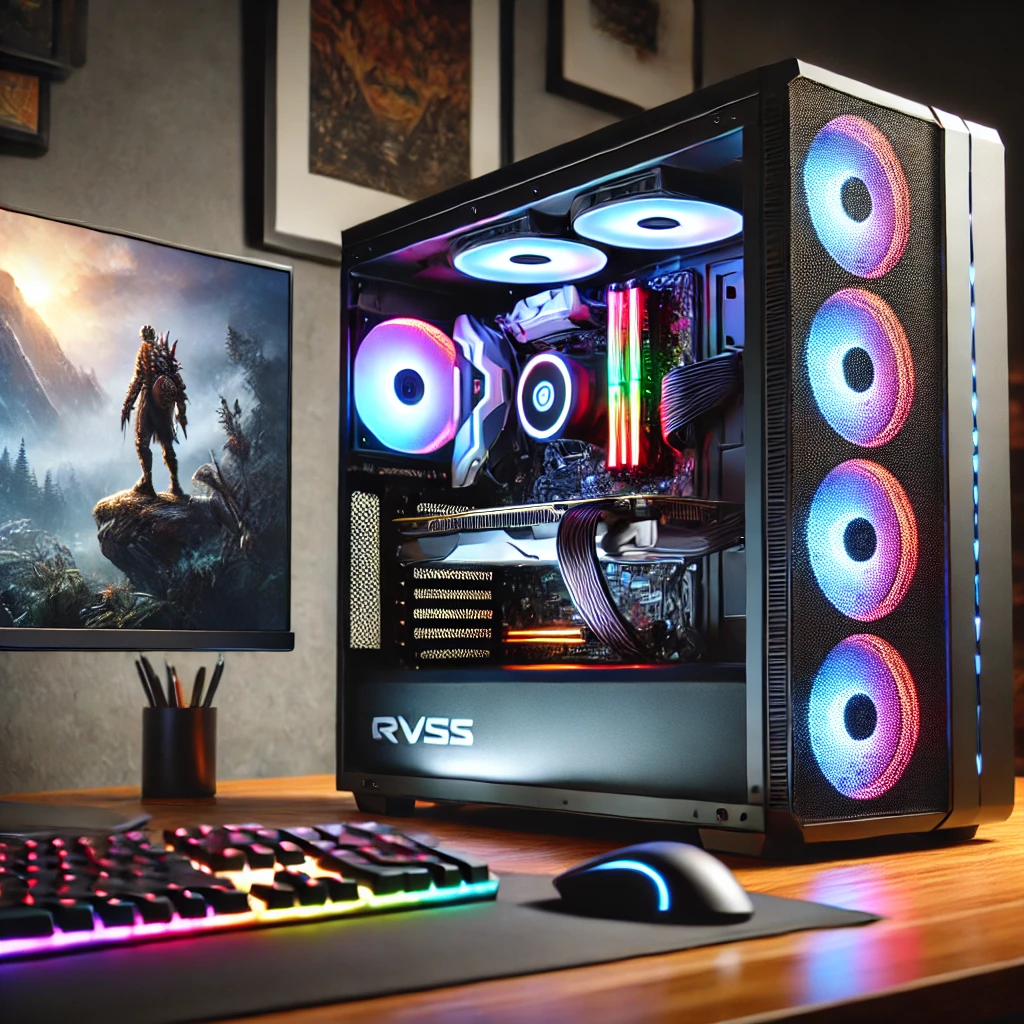
Building your first gaming PC is an exciting and rewarding experience that allows you to customize your system for performance, aesthetics, and budget. Unlike prebuilt systems, assembling your own PC gives you control over each component and ensures your setup meets your gaming needs. This guide walks you through the entire process, from planning to final assembly.
Planning Your Gaming PC Build
Proper planning is the foundation of a successful PC build. It ensures you make the right choices and avoid compatibility or budget issues.
Determine Your Budget
Establishing a budget is critical when starting your build. Decide how much you’re willing to spend overall and allocate funds to key components like the CPU and GPU. If you’re working with a limited budget, prioritize performance over aesthetics. Remember to factor in additional costs, such as a monitor, keyboard, and operating system, to avoid surprises.
Define Your Gaming Needs
Consider the types of games you’ll be playing. High-end AAA titles or virtual reality games require more powerful hardware, such as a premium GPU and a fast CPU. On the other hand, casual games or eSports titles can run smoothly on mid-range hardware. Determine your desired resolution and frame rate, such as 1080p at 60 FPS or 4K at 120 FPS, to guide your component choices.
Research and Compare Components
Spend time researching each component to ensure compatibility and performance. Use tools like PCPartPicker to create a virtual build and identify any conflicts between parts. Read reviews and watch benchmarks to understand how different options perform under various gaming scenarios. Comparing prices and looking for deals can also help you stay within budget.
Essential Components for Your Gaming PC
Building a gaming PC requires selecting the right components. Each part plays a vital role in the system’s performance and functionality.
Central Processing Unit (CPU)
The CPU is the brain of your computer, responsible for executing instructions and handling tasks. Choose a processor based on your gaming needs and budget. Intel’s Core i5 or AMD’s Ryzen 5 series offer excellent performance for most gamers. Ensure your CPU is compatible with your chosen motherboard and that you have adequate cooling for optimal performance.
Graphics Processing Unit (GPU)
The GPU handles rendering and graphical performance, making it one of the most important components for gaming. NVIDIA’s RTX series and AMD’s Radeon RX series are popular choices. Select a GPU that matches your resolution and frame rate goals, as well as the graphical intensity of your favorite games.
Memory (RAM)
RAM impacts how efficiently your PC handles multitasking and gaming. A minimum of 16GB is recommended for gaming builds, with faster speeds (e.g., DDR4 or DDR5) enhancing performance. Ensure your motherboard supports the RAM type and speed you select.

Building Your Gaming PC
Preparing Your Workspace
Choose a clean, well-lit workspace free of static electricity. Gather all necessary tools, such as a screwdriver, zip ties, and an anti-static wrist strap. Organizing your components before starting can save time and reduce frustration during assembly.
Assembling the Components
Begin by installing the CPU, RAM, and storage onto the motherboard. Carefully mount the motherboard into the case and secure it with screws. Next, install the GPU into the PCIe slot and connect it securely. The power supply unit (PSU) should be installed last, ensuring all components are powered and all cables are properly connected.
Cable Management and Testing
Organize your cables to improve airflow and aesthetics. Use zip ties to keep wires tidy and out of the way. Before closing the case, double-check all connections and run a Power-On Self-Test (POST) to verify that the system powers on and components function correctly.
Once you have all your components, it’s time to assemble your gaming PC. Follow these steps for a smooth assembly process.
Installing Software and Optimization
After building your PC, you need to set up the software and optimize it for gaming.
Installing the Operating System
Choose an operating system, such as Windows or Linux, and create a bootable USB drive for installation. Follow the on-screen instructions to install the OS and activate it with a valid license key. Once installed, update the OS to ensure you have the latest features and security patches.
Installing Drivers and Updates
Download and install drivers for your GPU, motherboard, and peripherals from their respective manufacturer’s websites. Keeping your drivers updated ensures optimal performance and compatibility with new games. Many modern drivers also include software tools for monitoring and tweaking performance settings.
Game and Software Setup
Install gaming platforms like Steam, Epic Games, or Xbox Game Pass to access your library. Configure in-game settings based on your hardware’s capabilities to achieve your desired resolution and frame rate. Consider adding tools like MSI Afterburner to monitor your system’s performance during gaming sessions.
Tips for First-Time PC Builders
Building your first PC can be intimidating, but these tips can help you avoid common mistakes and enjoy the process.
- Avoid Compatibility Issues: Double-check that all components are compatible before purchasing. Tools like PCPartPicker are invaluable for ensuring a smooth build.
- Stick to Your Budget: Prioritize components that have the most impact on performance, like the GPU and CPU. Avoid overspending on features you won’t use.
- Take Your Time: Rushing through assembly can lead to mistakes. Read each component’s manual thoroughly and follow instructions carefully.
Expanding and Maintaining Your Gaming PC
Your gaming PC is a long-term investment that can be upgraded and maintained to meet evolving needs.
Upgrading Components
As new games and technologies emerge, you may want to upgrade your system. Adding more RAM, upgrading your GPU, or switching to a faster SSD are common upgrades that can significantly improve performance. Ensure your PSU and motherboard support future upgrades to save costs later.
Regular Maintenance
Keep your PC clean by regularly removing dust from fans and vents. Use compressed air to prevent overheating and maintain airflow. Monitoring your system’s performance and updating drivers ensures continued reliability.
Exploring Advanced Features
As you become more comfortable with your system, consider exploring advanced options like overclocking your CPU or GPU for increased performance. Customizing RGB lighting and experimenting with multi-monitor setups can enhance your gaming experience.

Conclusion
Building your first gaming PC is a rewarding journey that combines creativity, technical knowledge, and personal preference. By carefully planning your build, choosing the right components, and following a methodical assembly process, you can create a system tailored to your gaming needs. With regular maintenance and upgrades, your PC will provide years of high-performance gaming and satisfaction.
Share this content:
