Tips for Cleaning and Maintaining Your Gadgets

In the age of technology, gadgets such as smartphones, laptops, and wearables have become an essential part of our daily lives. Keeping these devices clean and well-maintained not only improves their appearance but also enhances their longevity and performance. Regular maintenance can prevent dust buildup, overheating, and other issues that may cause malfunction. This guide will provide practical tips for cleaning and maintaining your gadgets, ensuring they continue to serve you efficiently over time.
Understanding Why Gadget Maintenance is Important
Proper cleaning and maintenance can help extend the life of your gadgets, ensuring they continue to work efficiently. When gadgets are well-maintained, they perform better, look better, and last longer.
Prolonging the Life of Your Devices
By regularly cleaning your gadgets, you reduce the risk of internal components getting damaged by dust, dirt, or grime. Dust accumulation inside your laptop or smartphone can cause overheating or even hardware failure over time. Keeping your device clean ensures it stays in good working condition and lasts longer, saving you the cost of repairs or replacements.
Enhancing Performance
A clean device works more efficiently. Dust buildup can clog vents and fans in laptops or desktops, causing them to overheat, which in turn affects performance. In smartphones, dirt on the screen or charging ports can cause unresponsiveness or slow charging. Regular cleaning helps maintain optimal performance and speeds up your devices.
Improving Appearance
Not only does a clean device look good, but it also makes the user experience more enjoyable. Smudges, fingerprints, and dirt can make your screen hard to read or interact with. Cleaning your gadgets regularly keeps them looking brand new and makes them more pleasant to use.
Essential Tools for Cleaning and Maintaining Gadgets
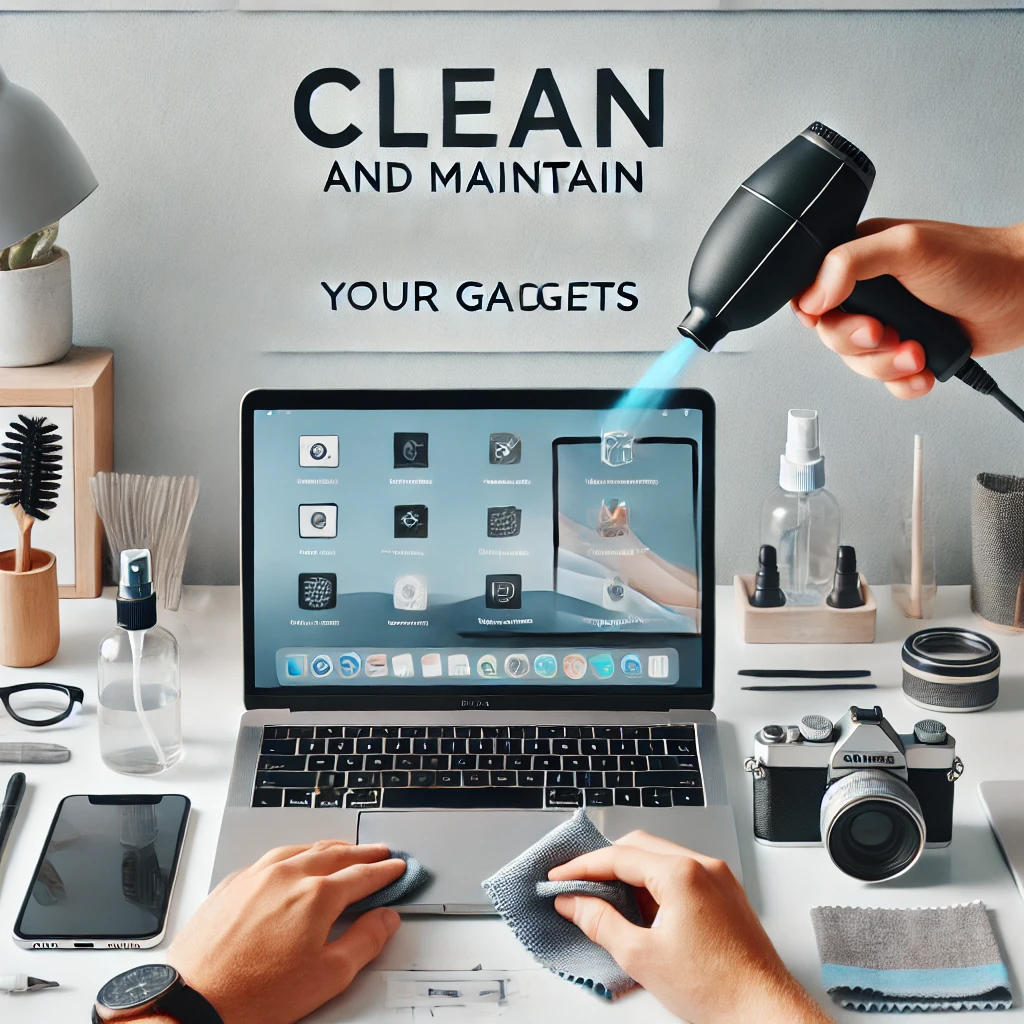
Having the right tools for cleaning your gadgets is crucial to prevent damage and ensure efficiency. Below are some essential cleaning tools.
Cleaning Cloths and Brushes
Microfiber cloths are ideal for cleaning screens, as they are soft and don’t leave lint behind. For hard-to-reach spots, such as keyboard crevices, dusting brushes with soft bristles are great. Using a proper brush or cloth ensures that you don’t scratch or damage sensitive surfaces.
Screen Cleaners and Disinfectants
Use screen-safe cleaners that won’t damage the screen coating. Avoid harsh chemicals that may cause long-term harm to the screen. For disinfection, use a non-abrasive disinfectant wipe, especially for devices like smartphones and tablets that carry germs.
Compressed Air and Vacuum Cleaners
Compressed air is perfect for blowing dust out of hard-to-reach areas, like laptop vents or smartphone charging ports. For larger devices, small handheld vacuum cleaners can help remove dirt from the surface and crevices without causing harm.
How to Clean Specific Gadgets Safely
Different gadgets require different cleaning methods. Below are some tips for safely cleaning your devices.
Smartphones and Tablets
Start by powering off your device and using a microfiber cloth to wipe the screen and back. For the charging port, use compressed air to remove dust. Avoid using cleaning liquids directly on the screen; instead, apply a small amount of liquid to the cloth. Be sure to clean the camera lens and buttons gently to avoid scratches.
Laptops and Desktops
Use a microfiber cloth to wipe the screen and keyboard. For the keyboard, gently use a soft brush to remove crumbs and dirt. To clean internal components like vents, use compressed air to blow out dust and debris. For desktop monitors, ensure they are unplugged before wiping with a soft cloth to avoid damage.
Wearables and Headphones
For wearables like smartwatches and fitness trackers, clean the screen and straps using a damp microfiber cloth. Ensure the device is turned off before cleaning. For headphones, use a brush to clean the ear tips and a microfiber cloth for the outer surfaces. Be cautious of water or moisture around the device, especially for non-waterproof models.
Preventive Maintenance Tips for Gadgets
Regular cleaning helps prevent dust buildup, but there are also several preventive maintenance practices that keep your gadgets functioning well.
Avoiding Overheating
Overheating is one of the primary causes of poor gadget performance. To avoid this, ensure that your devices have adequate ventilation. Clean vents and fans regularly with compressed air to prevent dust buildup. For laptops, using a cooling pad can help regulate temperature.
Battery Health Management
It’s important to follow best practices for charging and using your gadget’s battery. Avoid letting your device’s battery drain completely on a regular basis, and try not to overcharge it. Charge your device when it reaches about 20-30% and unplug it when it reaches 80-90% to maintain optimal battery health.
Proper Storage and Handling
When not in use, store your gadgets in a safe place where they are less likely to get dirty or damaged. Use protective cases for phones, laptops, and wearables. Keeping your devices in cool, dry places will prevent damage from humidity or temperature extremes.
Common Mistakes to Avoid When Cleaning Gadgets
While cleaning is important, there are common mistakes that can do more harm than good. Here are some things to avoid.
Using Harsh Chemicals
Avoid using household cleaners or abrasive chemicals that can damage your device. These substances can strip the protective coatings on screens or discolor plastic surfaces. Stick to cleaners specifically designed for electronics, and always apply them to a cloth, not directly to the device.
Excessive Pressure
When cleaning delicate screens or internal components, applying too much pressure can cause cracks or other damage. Use light pressure when wiping the screen and gently clean with brushes, especially around the edges of your gadgets.
Cleaning While Powered On
Always turn off your gadgets before cleaning, especially when using liquids or cleaning tools around sensitive areas like screens or ports. Cleaning while the device is powered on can cause short circuits or other electrical issues.
Troubleshooting Common Gadget Cleaning Problems
Even with regular maintenance, there are times when cleaning may not go as planned. Here’s how to troubleshoot common problems.
Stubborn Stains on Screens or Keyboards
For stubborn stains, use a screen-safe cleaner or a small amount of isopropyl alcohol. Apply it to a microfiber cloth and gently rub the affected area. For keyboards, use a keyboard cleaning gel that picks up dirt and dust.
Dust Accumulation in Ports or Vents
If you notice dust buildup in ports or vents, use compressed air to blow it out. Avoid inserting anything into the ports, as this could cause internal damage. Regular cleaning will prevent dust accumulation and ensure smooth performance.
Inconsistent Touchscreen Performance
If your touchscreen becomes unresponsive after cleaning, it may be due to moisture trapped under the screen protector or around the edges. Ensure your device is dry, and try gently wiping the edges of the screen with a dry microfiber cloth.
Conclusion
Cleaning and maintaining your gadgets is crucial for keeping them functioning well and extending their lifespan. By using the right cleaning tools, avoiding common mistakes, and following preventive maintenance practices, you can ensure your devices stay in top condition. Regular cleaning not only improves the performance and appearance of your gadgets but also protects your investment for years to come.
Share this content:
