Troubleshooting Common Issues with Smart Home Devices
Smart home devices have become an integral part of modern living, offering convenience and enhanced control over various aspects of our homes. However, like any technology, they can encounter issues that disrupt their functionality. Understanding how to troubleshoot these common problems can help maintain a seamless smart home experience. This article explores typical challenges with smart home devices and provides practical solutions to resolve them effectively.
Connectivity Problems
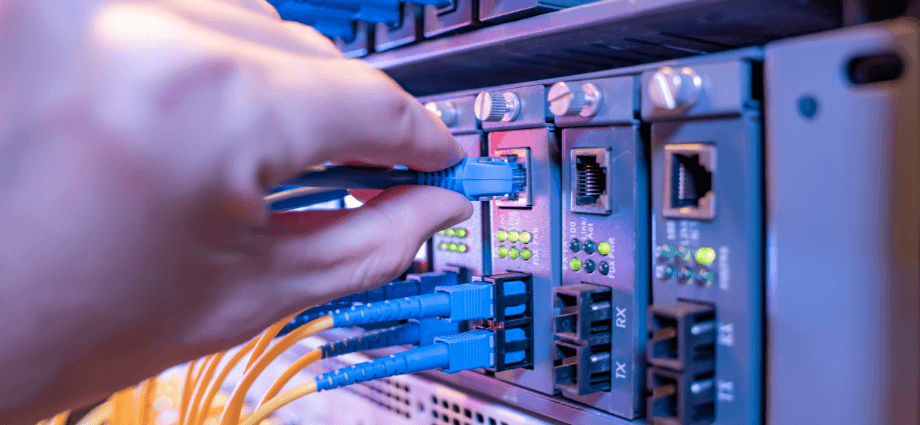
Connectivity is the backbone of any smart home system. When devices fail to communicate properly, it can lead to frustration and reduced functionality.
Wi-Fi Connectivity Issues
One of the most common problems is poor or lost Wi-Fi connections. Symptoms include devices frequently disconnecting or not responding to commands. To address this, consider the following steps:
- Ensure Wi-Fi Network is Active: Verify that your Wi-Fi router is powered on and broadcasting.
- Check Device Range: Make sure your smart devices are within the effective range of your Wi-Fi signal.
- Restart Your Router: Turn off your router, wait for about 30 seconds, and then turn it back on to reset the connection.
- Reset the Router: If restarting doesn’t help, perform a factory reset on your router to clear any persistent issues.
- Upgrade Firmware: Update your router’s firmware to the latest version to enhance performance and stability.
Bluetooth Pairing Failures
Bluetooth pairing issues can prevent devices from connecting seamlessly. Common reasons include outdated device firmware or interference from other wireless devices. To fix pairing failures, try the following:
- Unpair and Re-pair Devices: Remove the devices from your Bluetooth settings and attempt to pair them again.
- Enable Pairing Mode: Ensure both devices are in pairing mode and are close to each other during the process.
- Reduce Interference: Minimize the number of active Bluetooth devices nearby to reduce potential interference.
- Update Firmware: Check for and install any available firmware updates for your Bluetooth devices.
- Restart Devices: Sometimes, simply restarting the devices can resolve pairing issues.
Ensuring stable connectivity is crucial for the smooth operation of your smart home devices.
Power Supply Issues
Power-related problems can render smart devices inoperative, disrupting their intended functions.
Devices Not Powering On
When a device fails to turn on, start by checking the power source and cables for any visible damage. Ensure that the device is properly plugged into a functional outlet. Sometimes, simply unplugging and replugging the device can resolve the issue. If the problem persists, try using a different power adapter or outlet to determine if the original source is faulty.
Battery Life Problems
Devices that rely on batteries may experience reduced performance due to depleted power. Signs of battery issues include frequent low battery alerts or sudden shutdowns. To extend battery life, optimize device settings by reducing unnecessary features and lowering power-intensive functions. Regularly replacing old batteries with new ones can also ensure consistent performance and prevent unexpected outages.
Maintaining a reliable power supply ensures that your smart home devices remain functional and responsive.
Software and Firmware Glitches
Software and firmware play a critical role in the performance of smart devices. Glitches in these areas can cause various operational issues.
Updating Software/Firmware
Keeping your device’s software and firmware up to date is essential for optimal performance and security. Check for updates regularly through the device’s app or settings menu. Many devices offer automatic updates, which can simplify the process. If automatic updates are not available, manually download and install the latest versions from the manufacturer’s website to ensure your device runs smoothly.
Resetting Devices to Factory Settings
Sometimes, resetting a device to its factory settings can resolve persistent issues. Perform a factory reset when other troubleshooting steps fail to restore functionality. Follow the manufacturer’s instructions carefully to avoid data loss. Before resetting, back up any important data or settings to prevent losing personalized configurations. After the reset, reconfigure the device to your preferences to regain full control.
Addressing software and firmware issues promptly can enhance the reliability and efficiency of your smart home devices.
Compatibility and Integration Issues
Ensuring that your smart devices work well together is vital for a cohesive smart home ecosystem.
Incompatible Devices
Compatibility issues arise when devices from different manufacturers do not communicate effectively. To identify such problems, check the manufacturer’s specifications and compatibility lists. Selecting devices that support common standards like Zigbee or Z-Wave can improve interoperability. If certain devices are incompatible, consider using adapters or choosing alternative products that integrate seamlessly with your existing setup.
Integration with Smart Hubs
Smart hubs serve as central controllers for various devices, but integration failures can disrupt their functionality. Ensure that your devices are correctly configured to communicate with the hub by following setup instructions meticulously. If integration issues occur, restarting both the hub and the devices can help re-establish connections. Utilizing third-party hubs that support a broader range of devices may also enhance compatibility and streamline your smart home operations.
Proper integration ensures that all your smart devices work together harmoniously, maximizing their potential.
Voice Control and Assistant Problems

Voice assistants offer hands-free control, but they can encounter issues that hinder their effectiveness.
Unresponsive Voice Commands
If your voice assistant does not respond to commands, start by checking the microphone setup to ensure it is not muted or obstructed. Training your voice assistant to recognize your voice can improve responsiveness. Additionally, minimizing background noise can help the assistant better understand your commands, leading to more accurate and timely responses.
Misinterpretation of Commands
Voice assistants may sometimes misinterpret commands, leading to unintended actions. To reduce this, speak clearly and at a moderate pace, avoiding mumbling or excessive background noise. Customizing command phrases to suit your preferences can also enhance accuracy. Regularly updating the voice assistant’s settings ensures it remains attuned to your voice patterns and command styles.
Effective voice control enhances the convenience and functionality of your smart home devices.
Security and Privacy Concerns
Protecting your smart home devices and personal data is paramount in maintaining a secure and private environment.
Protecting Your Devices
Securing your devices starts with setting strong, unique passwords and enabling two-factor authentication where available. Regularly updating security settings and firmware helps protect against vulnerabilities. Additionally, limiting access to your devices by managing user permissions can prevent unauthorized usage and enhance overall security.
- Set Strong Passwords: Use complex combinations of letters, numbers, and symbols.
- Enable Two-Factor Authentication: Add an extra layer of security by requiring a second form of verification.
- Update Security Settings: Regularly review and adjust your device’s security configurations.
- Manage User Permissions: Control who can access and control your smart devices to prevent unauthorized use.
Managing Data Privacy
Understanding how your devices collect and use data is essential for maintaining privacy. Review and adjust privacy settings to control the information shared with manufacturers and third parties. Stay informed about privacy policies and any changes that may affect your data. Being proactive in managing data privacy ensures that your personal information remains protected.
Prioritizing security and privacy safeguards your smart home from potential threats and unauthorized access.
Conclusion
Smart home devices offer unparalleled convenience and control, but they can encounter various issues that disrupt their functionality. By understanding common problems related to connectivity, power supply, software glitches, compatibility, voice control, and security, you can effectively troubleshoot and maintain your smart home ecosystem. Regular maintenance, timely updates, and proactive management are key to ensuring a seamless and secure smart home experience. Embrace these troubleshooting strategies to enjoy the full benefits of your smart home technology without unnecessary interruptions.
Share this content:
